












Auto-Routing
Every call, sorted into the right bucket. Automatically.
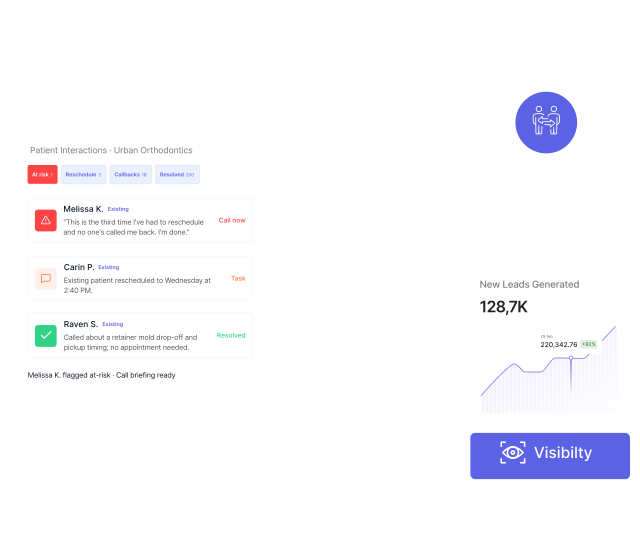
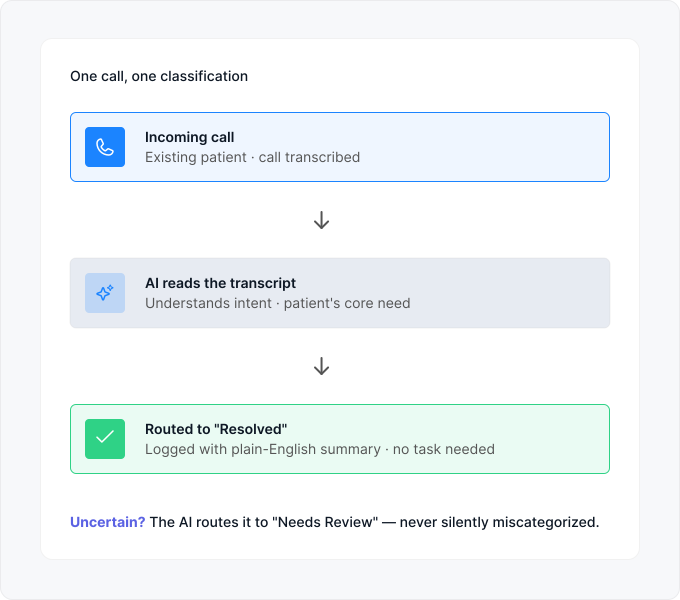
The moment an existing patient hangs up, HHub reads the transcript, understands what they wanted, and routes the call into one of five buckets. Nothing sits in an inbox waiting to be read.
At Risk
Reschedule
Callbacks
Resolved
Needs Review
The Problem · The Solution
Most tools track new leads. HHub tracks the patients you already have.
Every practice has churn they didn't see coming — a patient who was upset, called to voice it, and didn't get a real response. HHub was built to make sure that never happens quietly again.



The Problem
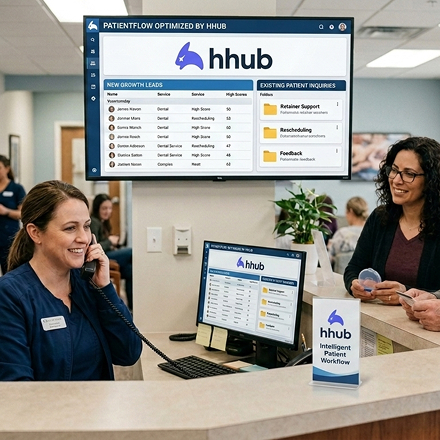
Existing patients are invisible in most CRMs. Every lead tool is obsessed with new patients. Existing patients calling in — retainer questions, rescheduling, complaints — get treated as noise in the same inbox as new-lead calls.
Solution
Their own tab. Their own workflow. HHub separates existing-patient calls from new leads at the moment the call comes in. Different bucket, different routing, different priorities. Your front desk always knows which side of the funnel each patient is on.

Angry patients slip through the cracks

Complaints get flagged the moment they're spoken
Follow-ups fall to whoever remembers
Every call that needs action becomes a task
Doctors have zero visibility into patient sentiment
See what your patients are actually feeling
The At-Risk Feature
The patients you can't afford to lose quietly.
Most churn happens without a fight. A patient calls, expresses frustration, the front desk fumbles it, the patient hangs up — and never books again. You don’t find out until the aging report tells you they’re gone.
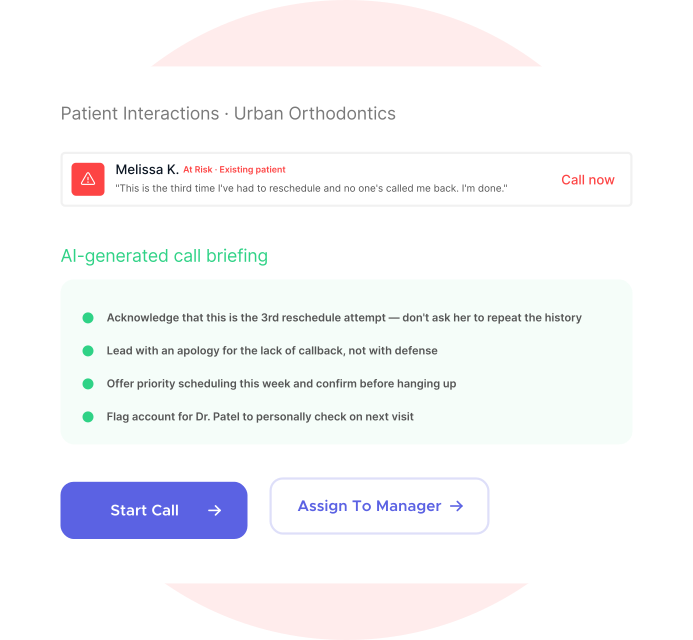
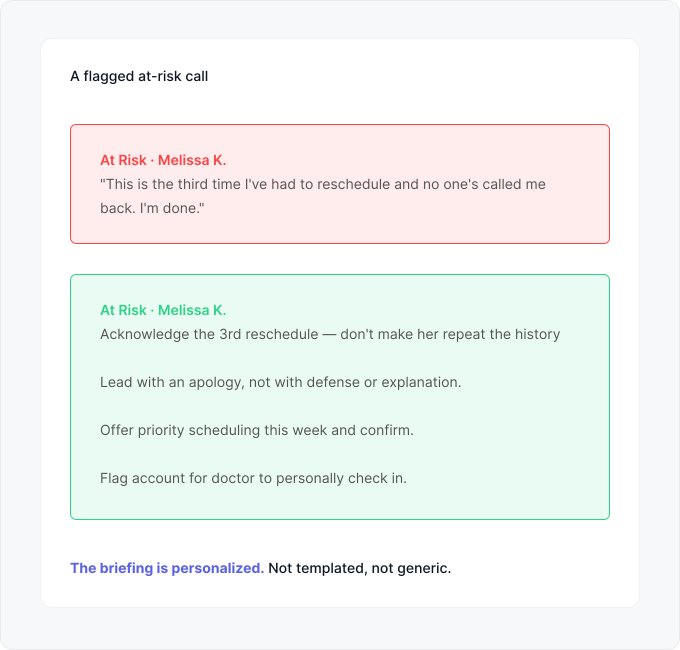
HHub catches those calls in real time. When a patient explicitly voices a complaint or intent to leave, HHub flags the interaction red and pushes it to the top of the queue with an AI-generated briefing — so whoever calls them back isn’t walking in blind.
The briefing tells your team what was said, what the patient’s core issue is, and specific talking points to lead with. It’s the difference between a save and a lost patient.
How It Works
Four capabilities. Honestly described.
- Auto Call Routing
- At-Risk Detection
- Auto Task Creation
- Patient Identification
Every call sorted the moment it ends.
- Every call auto-tagged: At Risk / Reschedule / Callbacks / Resolved / Needs Review
- Plain-English summary of why the patient called
- Outcome logged automatically (Resolved · Logged, etc.)
- Filter and search across all interactions
- Every classification includes AI confidence — uncertain calls go to "Needs Review"
- Full call transcription retained for every interaction
Flag the calls where a patient is about to leave.
- Triggered by explicit complaints, not tone guessing
- Real-time flag — appears the moment the call ends
- Pushed to the top of the queue, not buried in a report
- AI-generated call briefing so callback isn't cold
- Talking points suggest how to lead the recovery call
- Optional escalation route — flag for a manager or doctor
When a call needs action, HHub writes the task.
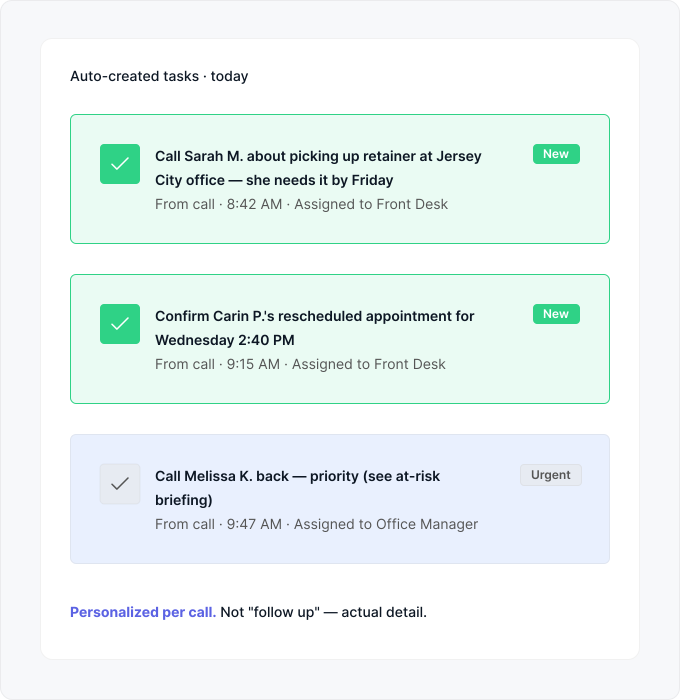
- AI decides which calls need action, which are resolved
- Task text is personalized to the specific call, not templated
- Includes patient name, action, context, and deadline
- Delivered directly into your Task Management module
- Linked back to the original call transcript for context
- Assigned by role — front desk, treatment coordinator, or doctor
Existing patient or new lead? HHub knows the difference.
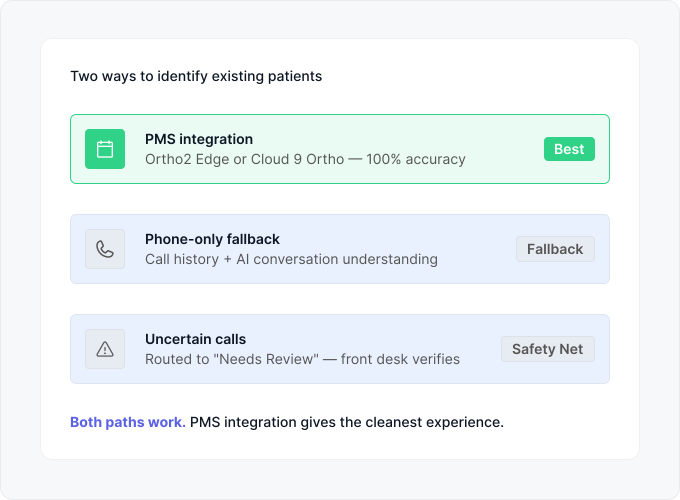
- PMS integration: instant caller ID match against patient records
- Phone-only fallback: uses call history + AI conversation understanding
- Uncertain calls get flagged for front desk verification
- Same auto-routing works either way — just with different accuracy
- Ortho2 Edge and Cloud 9 Ortho supported for full accuracy today
- Additional PMS integrations on the roadmap
Every call sorted the moment it ends.
- Every call auto-tagged: At Risk / Reschedule / Callbacks / Resolved / Needs Review
- Plain-English summary of why the patient called
- Outcome logged automatically (Resolved · Logged, etc.)
- Filter and search across all interactions
- Every classification includes AI confidence — uncertain calls go to "Needs Review"
- Full call transcription retained for every interaction
Flag the calls where a patient is about to leave.
- Triggered by explicit complaints, not tone guessing
- Real-time flag — appears the moment the call ends
- Pushed to the top of the queue, not buried in a report
- AI-generated call briefing so callback isn't cold
- Talking points suggest how to lead the recovery call
- Optional escalation route — flag for a manager or doctor
When a call needs action, HHub writes the task.
- AI decides which calls need action, which are resolved
- Task text is personalized to the specific call, not templated
- Includes patient name, action, context, and deadline
- Delivered directly into your Task Management module
- Linked back to the original call transcript for context
- Assigned by role — front desk, treatment coordinator, or doctor
Existing patient or new lead? HHub knows the difference.
- PMS integration: instant caller ID match against patient records
- Phone-only fallback: uses call history + AI conversation understanding
- Uncertain calls get flagged for front desk verification
- Same auto-routing works either way — just with different accuracy
- Ortho2 Edge and Cloud 9 Ortho supported for full accuracy today
- Additional PMS integrations on the roadmap
A note on your PMS
Best experience with Ortho2 and Cloud 9. Works without them too.
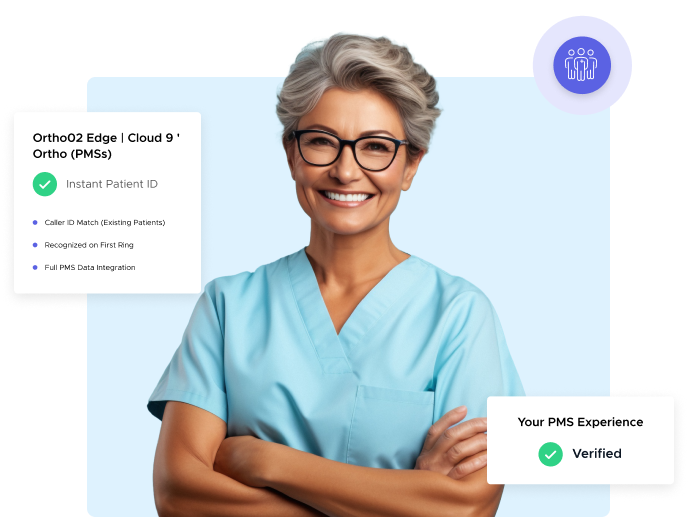
Practices on Ortho2 Edge or Cloud 9 Ortho get instant patient identification via caller ID match — every existing-patient call is recognized on the first ring. Practices on other PMSs still get the full Patient Interactions workflow, just with phone-only identification (call history + AI conversation understanding) as the primary method. If you’re on a different system, ask us on a demo call — we’ll tell you honestly what today’s experience looks like.
Better Together
Existing patients are one half. Here's how it connects.
Task Management
Auto-created tasks flow into your team's queue
Every task Patient Interactions generates — from reschedule follow-ups to at-risk callbacks — lands directly in your Task Management module, assigned by role with the right priority.
Explore Task ManagementLead Management
New leads live in Lead Management
Patient Interactions handles existing patients. Lead Management handles new leads. Together they cover the full patient lifecycle — from first inquiry to lifelong patient.
Explore Lead ManagementAI Agent
The AI voice agent that answers the call
When existing patients call after hours, the AI Voice Agent picks up. What it captures gets fed into Patient Interactions for classification, task creation, and at-risk detection.
Explore AI Agent

"Since day one, patients were able to find us on Google. To this day we're getting a 20:1 ROI from our website and branding."
20x
Increased our Business