


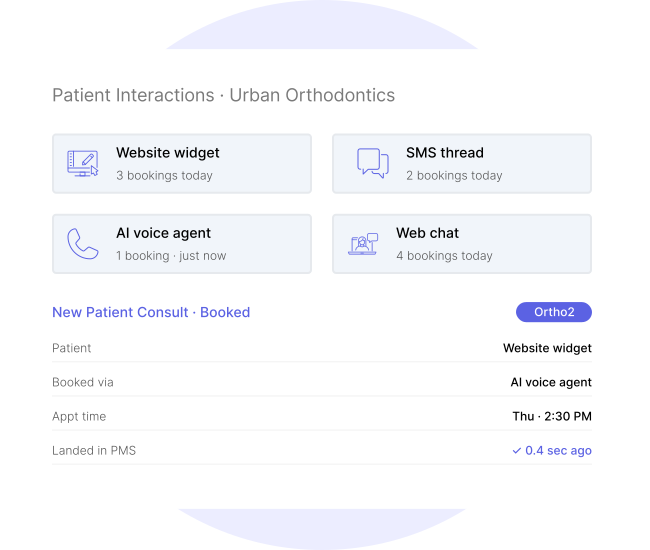








Four Channels · One Booking Engine
Patients don't book where you think they will.
Some patients want to book from your website. Some prefer to text. Some call and expect the phone to answer. Some notice the chat bubble and use it. Every channel is a real booking channel — and HHub is the only orthodontic tool built to accept a booking from any of them.
Website
SMS
AI Voice Agent
Web Chat
Four channels. One booking engine underneath. Every appointment goes to the same place — your PMS.
The Problem · The Solution
Most booking tools solve one problem and create two more.
The tools your practice is being pitched today mostly automate one channel, ignore the rest, and hand you a form the front desk still has to re-key into the PMS. HHub was built the opposite way.

Booking only from your website

Omni-channel booking
Book from wherever the patient is
Bookings sit in "pending" until front desk re-enters them
Direct pms write-back
Appointments land in Ortho2 or Cloud 9 automatically
Generic forms that don't match your workflow
Concierge form setup
Our team configures your form during onboarding
One appointment type — take it or leave it
Practice-configured appointment types
Define every appointment type your practice offers
A note on your PMS
Direct PMS write-back for Ortho2 and Cloud 9 today.
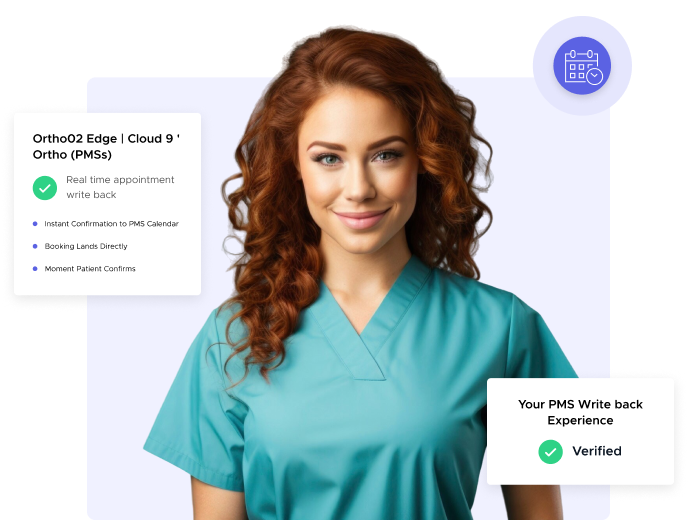
Practices on Ortho2 Edge or Cloud 9 Ortho get real-time appointment write-back — the booking lands directly in your PMS calendar the moment the patient confirms. Additional PMSs are actively on our roadmap. If you’re on a different system, ask us on a demo call — we’ll tell you honestly what today’s experience looks like and what’s coming.
How It Works
Four things the product does. All of them, honestly.
- Omni-Channel Booking
- PMS Write-Back
- Concierge Form Setup
- Appointment Types
One booking engine. Four ways in.
- Embedded website widget — works with any web platform
- SMS booking through the patient's existing text thread
- AI voice agent handles missed-call recoveries and books live
- Web chat widget completes bookings without leaving the chat
- Same availability rules across every channel
- Every booking tagged with source channel for reporting
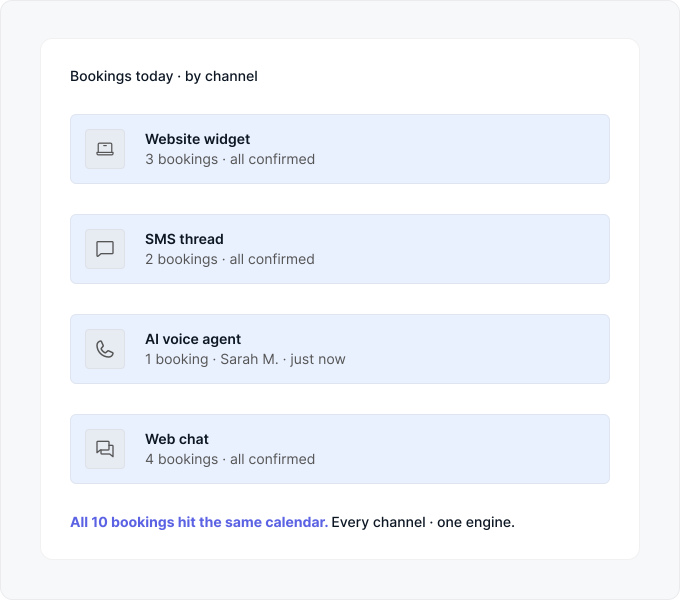
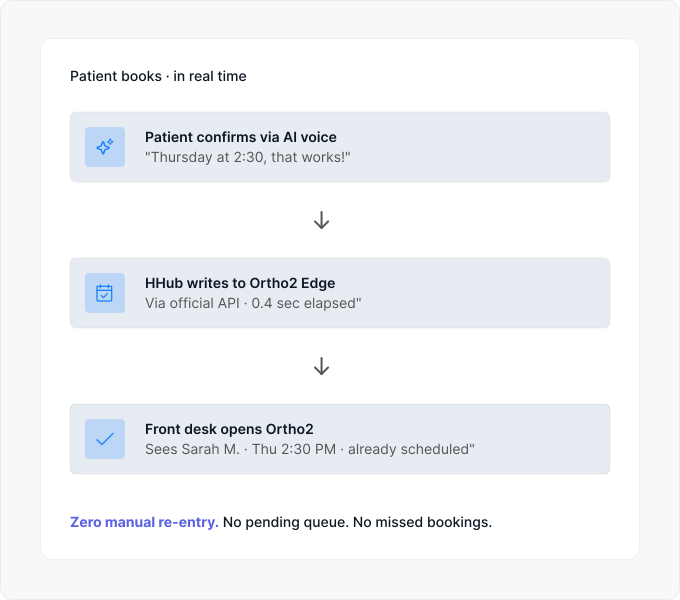
Bookings land in your PMS. Automatically. Instantly.
- Direct write to Ortho2 Edge via official API
- Direct write to Cloud 9 Ortho via official API
- Real-time — appointment visible in PMS in under a second
- Confirmation SMS/email sent to patient automatically
- Provider assignment respects your PMS scheduling rules
- Practices on other PMSs get instant email/dashboard notification
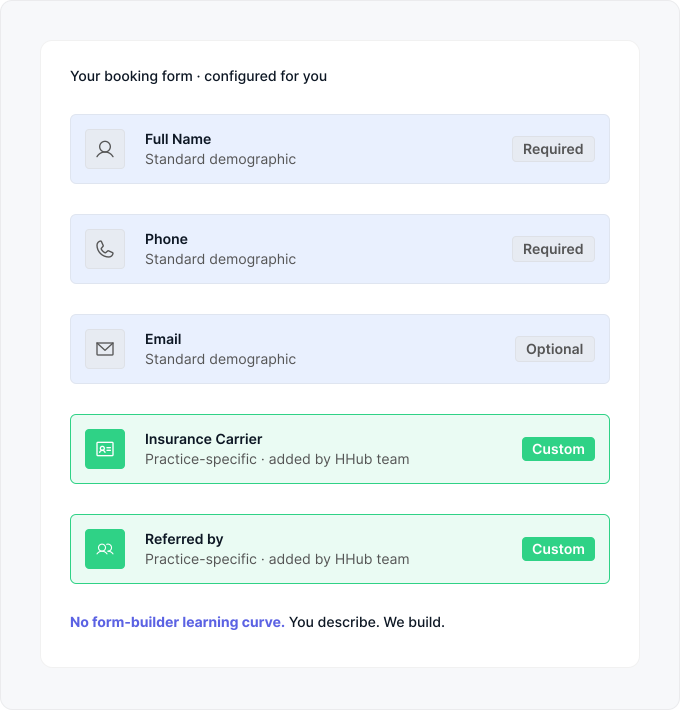
Our team builds your form. You tell us what matters.
- Standard demographic fields ship on day one
- Add practice-specific fields — insurance, referral, etc.
- Set which fields are required vs. optional
- Our team configures during onboarding — no self-serve burden
- Change requests handled by our team, usually same-week
- Form updates roll out to all four channels instantly
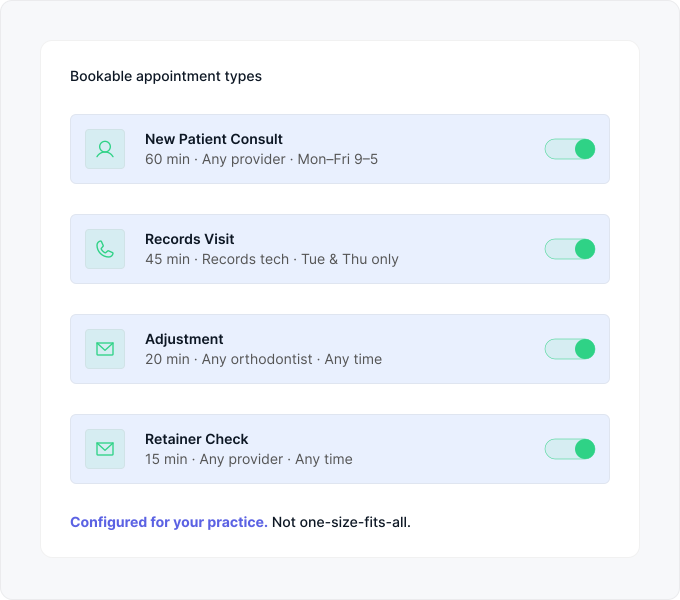
Every appointment your practice offers — bookable.
- Define appointment types unique to your practice
- Set duration, provider, and availability rules per type
- Enable or disable any type without touching code
- Patients pick from the types you've made bookable
- Different channels can offer different types (e.g., web = all, chat = new patient only)
- Configured by our team during onboarding, tuned anytime
One booking engine. Four ways in.
- Embedded website widget — works with any web platform
- SMS booking through the patient's existing text thread
- AI voice agent handles missed-call recoveries and books live
- Web chat widget completes bookings without leaving the chat
- Same availability rules across every channel
- Every booking tagged with source channel for reporting
Bookings land in your PMS. Automatically. Instantly.
- Direct write to Ortho2 Edge via official API
- Direct write to Cloud 9 Ortho via official API
- Real-time — appointment visible in PMS in under a second
- Confirmation SMS/email sent to patient automatically
- Provider assignment respects your PMS scheduling rules
- Practices on other PMSs get instant email/dashboard notification
Our team builds your form. You tell us what matters.
- Standard demographic fields ship on day one
- Add practice-specific fields — insurance, referral, etc.
- Set which fields are required vs. optional
- Our team configures during onboarding — no self-serve burden
- Change requests handled by our team, usually same-week
- Form updates roll out to all four channels instantly
Every appointment your practice offers — bookable.
- Define appointment types unique to your practice
- Set duration, provider, and availability rules per type
- Enable or disable any type without touching code
- Patients pick from the types you've made bookable
- Different channels can offer different types (e.g., web = all, chat = new patient only)
- Configured by our team during onboarding, tuned anytime
Better Together
Scheduling is one half. Here's what's on the other side.
Sister Feature - Same Module
Lead Management
Everyone who books an appointment is a lead first. HHub tracks the full patient journey — from first inquiry to booked appointment — so you can see what's converting, what's stalling, and where the missed opportunities are.
Explore Lead ManagementAI Agent
The AI Voice Agent that books
The voice channel that answers missed calls and books appointments is powered by the AI Agent module. Same brain across missed-call recovery, web chat, and voice.
Explore AI AgentTask Management
Every booking becomes a task
Bookings that need confirmation calls, pre-appointment paperwork, or provider prep get turned into assigned tasks with owners and deadlines — surfaced to the right team member automatically.
Explore Task Management

"Since day one, patients were able to find us on Google. To this day we're getting a 20:1 ROI from our website and branding."
20x
Increased our Business